DISRUPTIVE TOY
NO. 002
Omarchy
An opinionated Linux desktop OS that lets you reshape your computer with AI agents.
Try Omarchy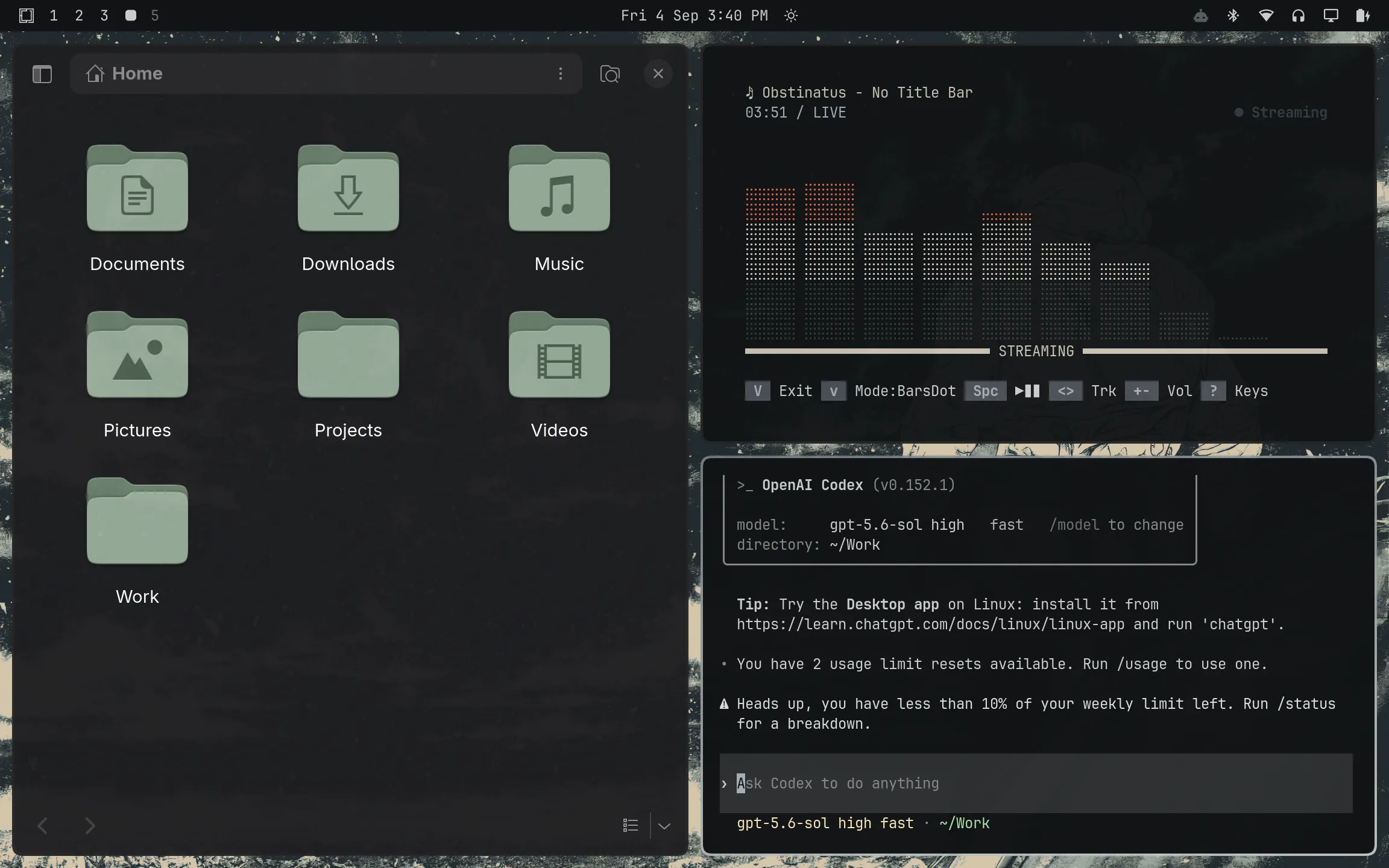
The short version
Omarchy is an opinionated, “chef’s choice” Linux OS that reimagines the desktop computer for the age of AI agents. Omarchy ships with strong defaults curated by DHH to deliver a coherent user experience out of the box, but gives you the freedom to fully customize your computer to your liking. Omarchy may be an early example of AI-generated software spilling beyond existing platforms into entirely new computers and consumer electronics.
How to play
The official way to try Omarchy is to simply download the ISO, put it on a USB stick, and install it off of the stick onto your computer. The specific setup depends on what machine you have available, so refer to the Getting Started page of the Omarchy Manual.
If you have an old computer lying around, I highly recommend you try using it as your Omarchy machine. I installed Omarchy on my 2017 MacBook and it’s been a remarkably stable and polished experience so far. In fact, I built this site and wrote this article entirely on my Omarchy machine.
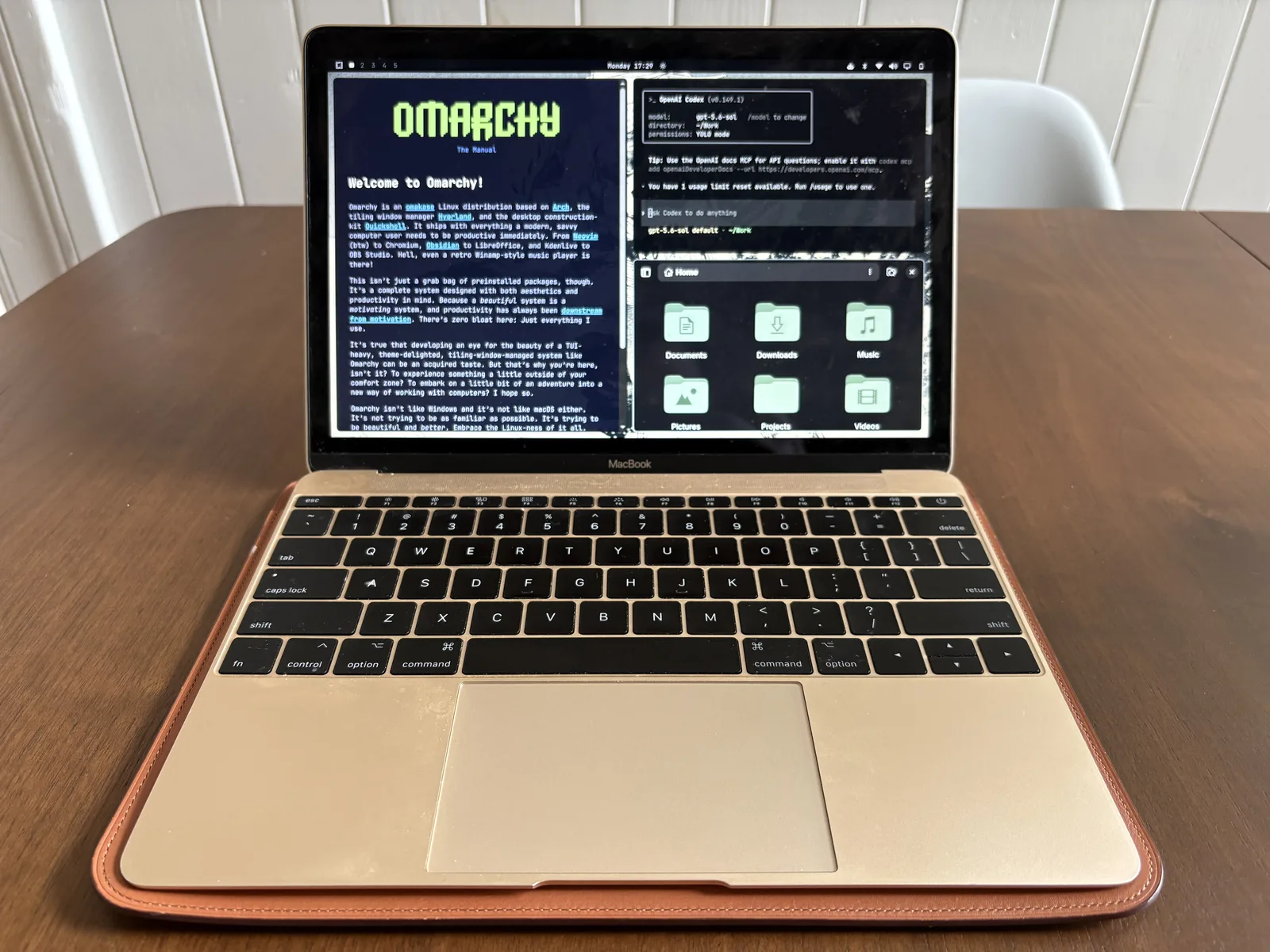
You can install Omarchy directly on PCs and Intel-based Macs. If you have an Apple Silicon Mac, there is a project called Try Omarchy that lets you run Omarchy inside an app.
Once you’re up and running, you’ll want to read the first few sections of the manual to orient yourself, at least enough to learn how to open an AI agent. From there, you use the manual, the “Learn” menu in the OS, and your AI agent to discover an entirely new way of using a desktop, bit by bit, at your own pace.
You should lean heavily on your AI agent. Whenever you’re confused or something isn’t working as expected, you can simply ask it for help. It can answer questions about your system or directly modify it to fix the issue.
Things might feel unfamiliar or even frustrating at first. But try to embrace the keyboard-first approach, and give yourself the time to learn the main features of the OS, like the Omarchy Menu, the top bar, workspaces, window tiling, and keyboard bindings.
You’ll likely pick it up surprisingly fast, and find yourself having a ton of fun with your new computer.
The future inside
At first glance, the future inside Omarchy might seem obvious: an “AI-native OS,” with AI plugged into every aspect of your daily computing to help you not only get things done, but also maintain and customize the computer itself.
While that is indeed where things are headed, it’s neither unique to Omarchy nor what makes it a disruptive toy that tells us something unexpected about the future. Microsoft has already made significant moves in a similar direction with Windows + Copilot, and Apple should eventually get there as well with macOS.
The surprising future is that 2026 might finally be the year Linux becomes a viable third desktop OS. Until now, this was always an extremely unlikely scenario for a very simple reason: apps. You simply couldn’t get developers to build apps for a third OS after supporting Windows and Mac (and iOS and Android and web). And for most people, it doesn’t make sense to use a desktop missing most of the popular apps.
But in 2026, software is no longer a bottleneck. AI can write us almost any kind of production-quality software we need on demand. Between the Omarchy core team, open-source contributors, and even end users, the community might just be able to generate the missing software and fill the gaps.
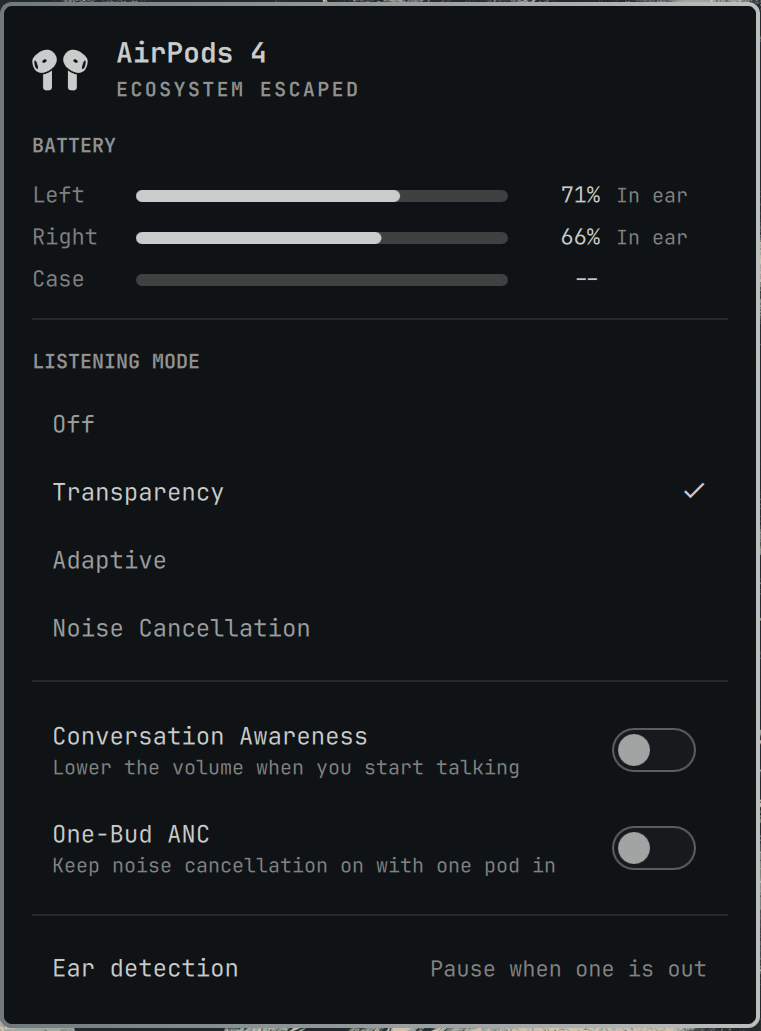
For example, someone made a full-featured AirPods control panel. I also saw someone else post about enabling iMessage on Omarchy. This is already a strong start to covering the essentials for people coming from macOS.
Even for apps that absolutely have to be implemented by third-party developers (e.g., Microsoft Office), agentic coding makes it much easier and cheaper for them to do so. In fact, now that software takes significantly fewer man-hours to build and maintain, some engineers at companies like Microsoft might be looking for a new project like Excel for Linux.
The last point touches on a larger trend: the incredible oversupply of software created by agentic coding makes additional systems and devices not only viable, but necessary. Existing platforms are already over-saturated, so all that extra software needs somewhere new to go.
So the most significant outcome of agentic coding might not be infinite apps, but a proliferation of entirely new kinds of personal computers and consumer electronics powered by new software. New software running on new hardware, of course, but also new software breathing new life into existing hardware as we see in the case of Omarchy.
Why it’s still a toy
Until the above-mentioned gaps in available apps are filled, it’ll be impractical for most people to fully adopt Omarchy as their primary OS. For example, if you use Adobe Premiere to edit videos, you’re going to want to hold on to Windows or macOS for now.
The overall user experience also remains very much geared towards developers and technical users at the moment. Dropping into the terminal, updating config files, installing plugins from GitHub, and agentic coding all probably feel too daunting for the average user.
Toybox readout
Down the rabbit hole
Doodles Toy Factory
NO. 001